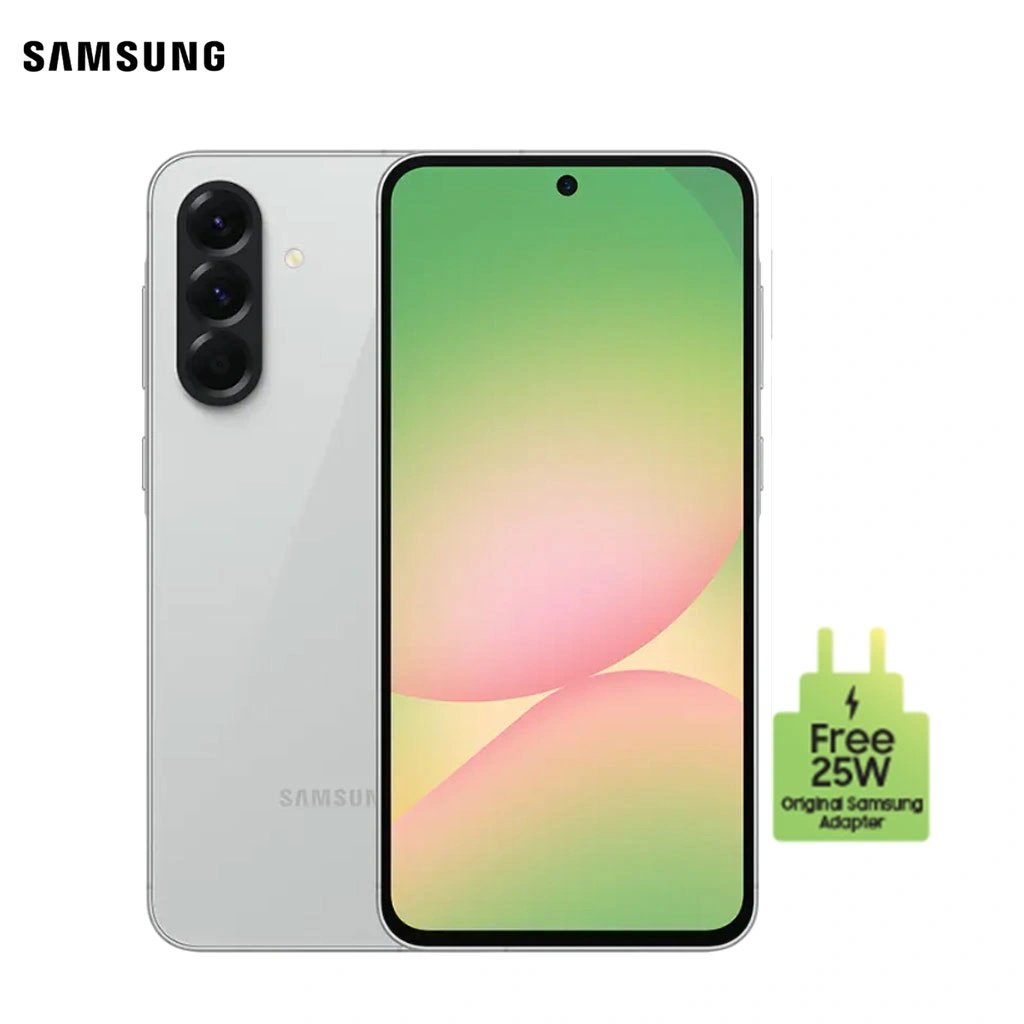
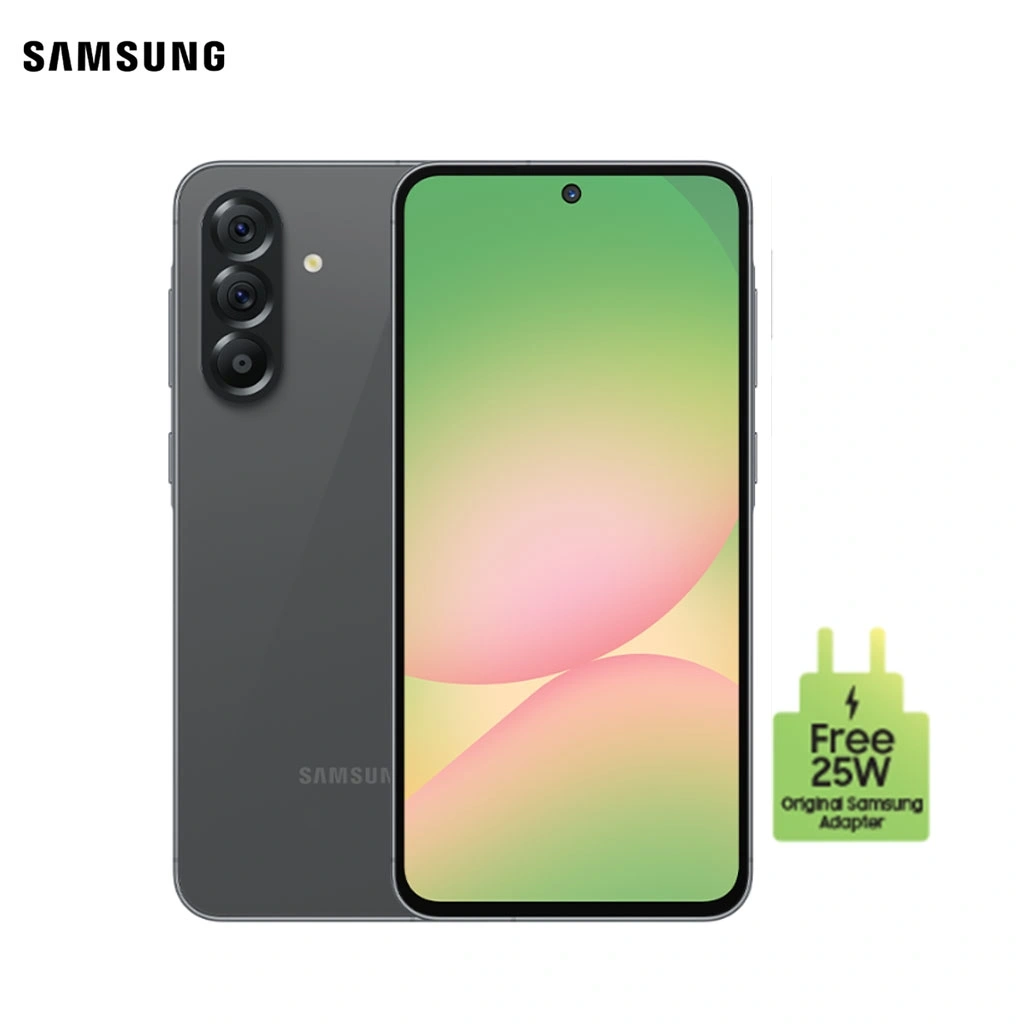
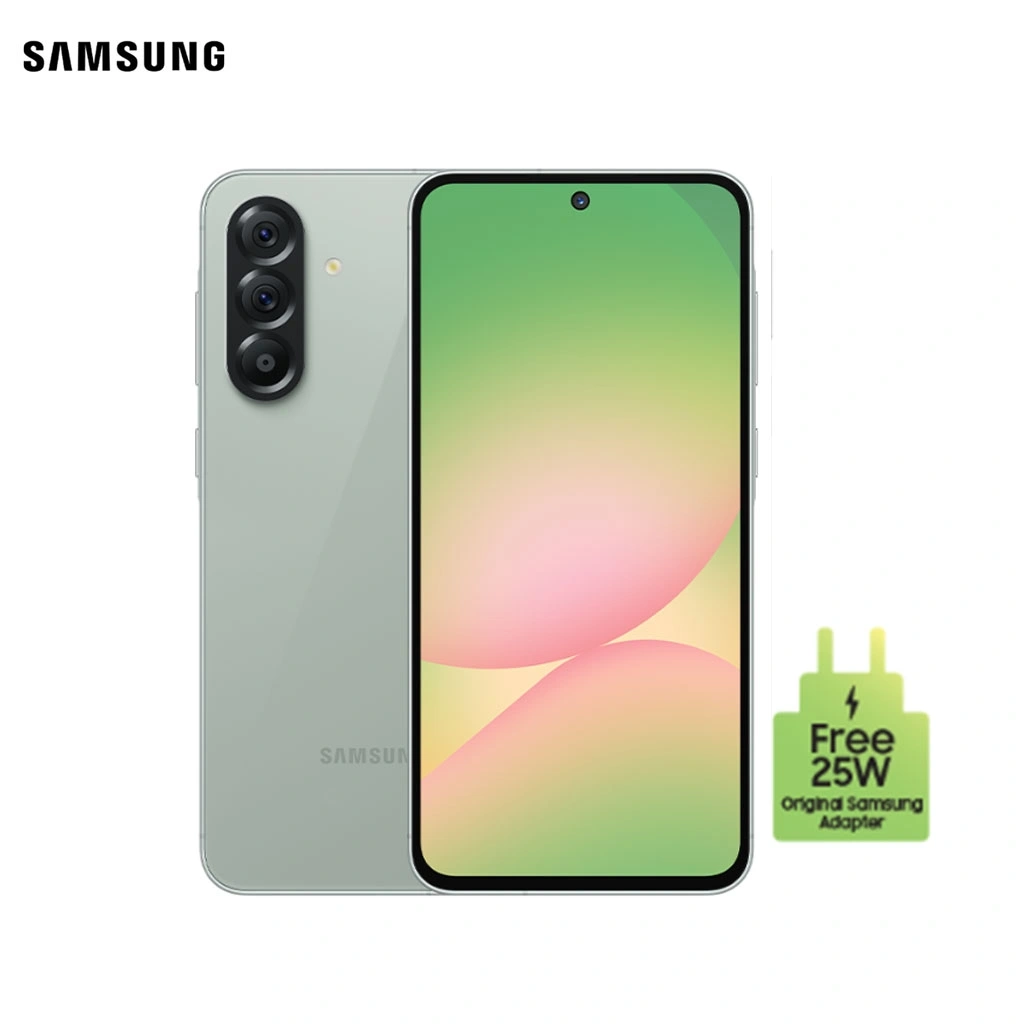
Samsung Galaxy A56 — Premium Midrange with AMOLED Display & Fast Performance
0
Shipping is calculated at checkout
Choose Variant
Description
🌈 6.6" FHD+ Super AMOLED Display — Bright, smooth and immersive visuals
📸 50MP Triple Camera — Sharp photos with advanced AI enhancement
🎥 4K Video Recording — Crisp and detailed videos
🚀 Powerful Processor — Smooth gaming and multitasking
🔋 5000mAh Battery — Reliable all-day usage
⚡ Fast Charging Support — Quick power-ups
💧 IP Rating Protection — Water & dust resistance
🔐 In-display Fingerprint + Face Unlock
Samsung Galaxy A56 is built for users who want premium features at a midrange price. The stunning 6.6-inch Super AMOLED display delivers vibrant colors and smooth scrolling, making it perfect for streaming, gaming, and everyday browsing. Its 50MP triple camera system captures detailed photos with accurate colors and strong low-light performance, while 4K video recording ensures high-quality content creation.
Powered by a reliable and efficient processor, the Galaxy A56 handles multitasking, gaming, and social media smoothly. The large 5000mAh battery keeps you going all day, supported by fast charging for minimal downtime. With a sleek modern design, water resistance, and secure biometric unlocking, the Galaxy A56 offers a balanced mix of style, durability, and performance — ideal for students, professionals, and daily users.


Play video
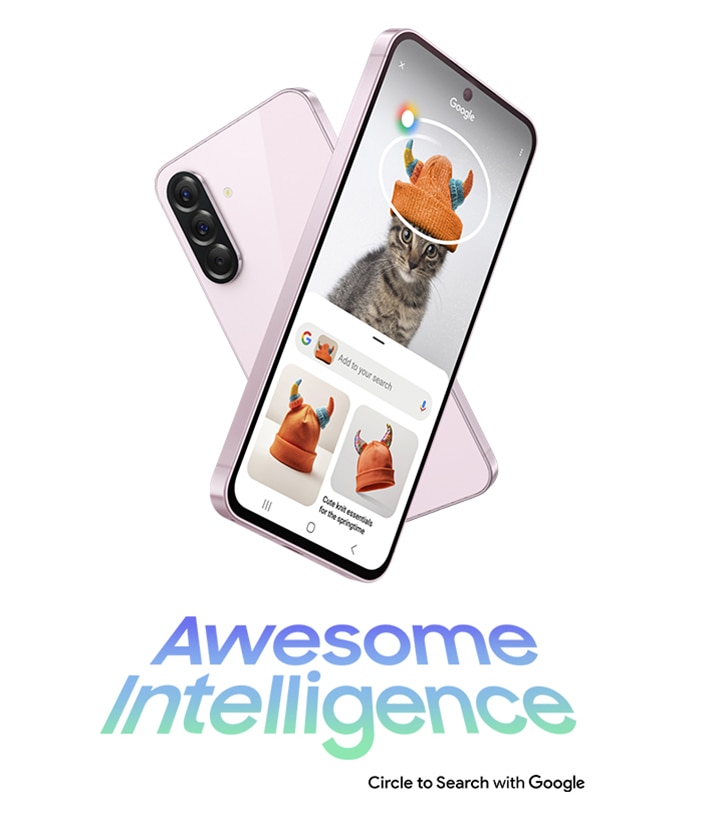
Awesome Intelligence
Circle it, Find it
Circle to Search with Google is available on Galaxy A56 5G. Just circle, highlight or tap an object or text onscreen to get Google Search results.
Google is a trademark of Google LLC. Sequences shortened and simulated. Results for illustrative purposes only. Service availability may vary by country, language, device model. Requires internet connection. Users may need to update Android and Google app to the latest version. Works on compatible apps and surfaces. Results may vary depending on visual matches. Accuracy of results is not guaranteed. Works on compatible apps and surfaces, and with ambient music only. Will not identify music coming through headphones or if phone volume is off. Results may vary depending on audio matches.

Play video
Images shown here are for representational purpose only, actual may vary.

Play video
Slimmer design with premium metal frame
Introducing the Galaxy A56 5G. With 0.74 cm thickness and 198 g weight, Galaxy A56 5G has a good grip. The enhanced cameras are grouped to match the new linear design. Galaxy A56 5G has four colour options to choose from Awesome Graphite, Awesome Lightgray, Awesome Olive, and Awesome Pink.

Colour availability may vary by country, region or carrier. Actual product may differ from the image shown.

Play video
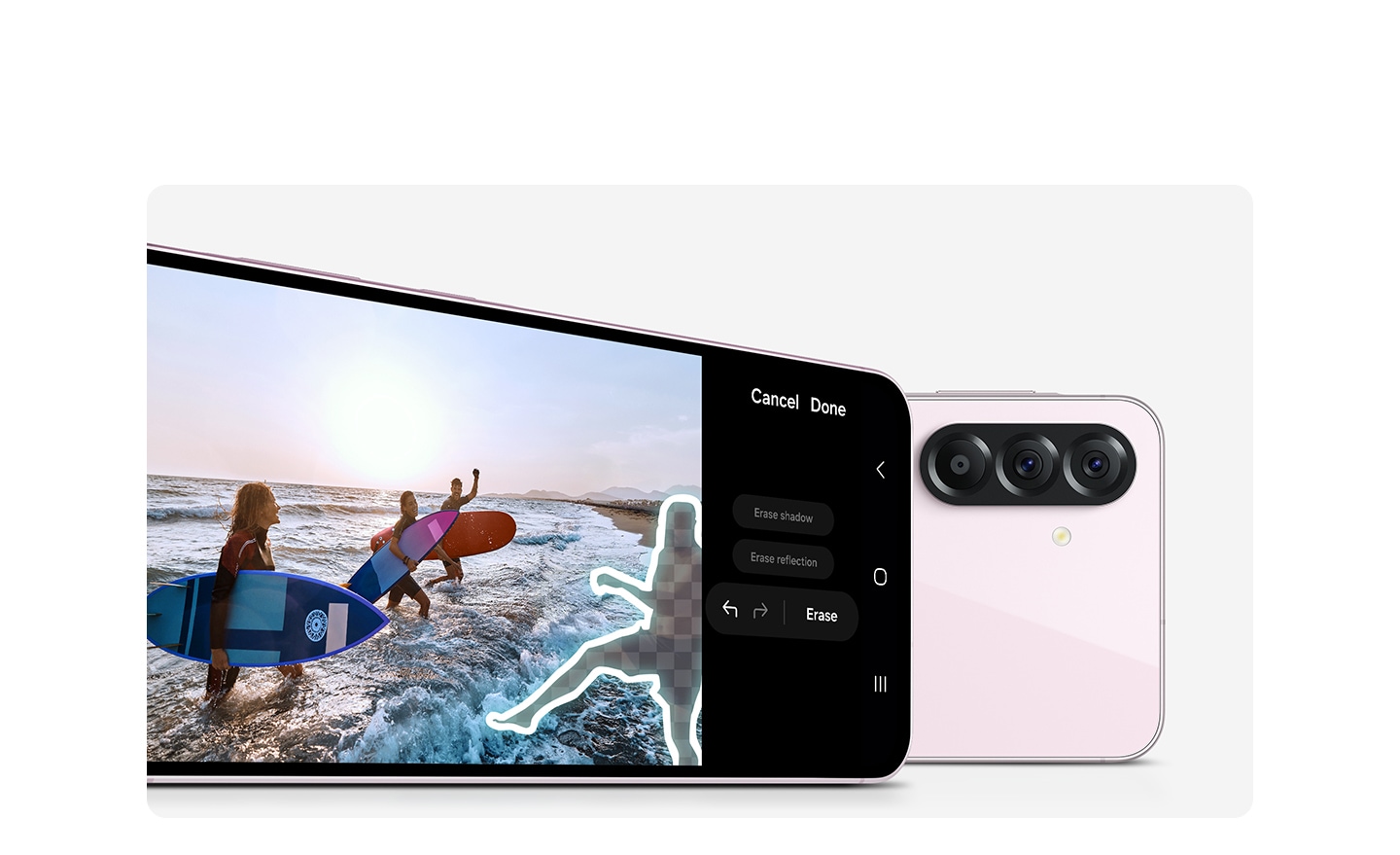
Turn photos into masterpieces
Object Eraser removes unwanted distractions in the background will be recognized, removed and filled in to make a flawless photo.
Results may vary based on the images and the object you're trying to remove. Results may vary depending on light condition and/or shooting conditions, including multiple subjects, being out of focus or moving subjects.
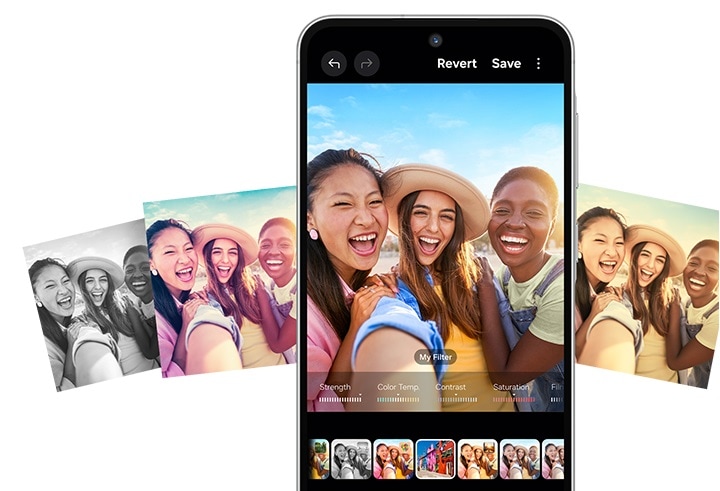
Filters just for you
Create your own filter or add a retro film effect to photos and videos.
Actual UI/UX may differ. Results may vary depending on light condition and/or shooting conditions including multiple subjects, being out of focus or moving subjects.
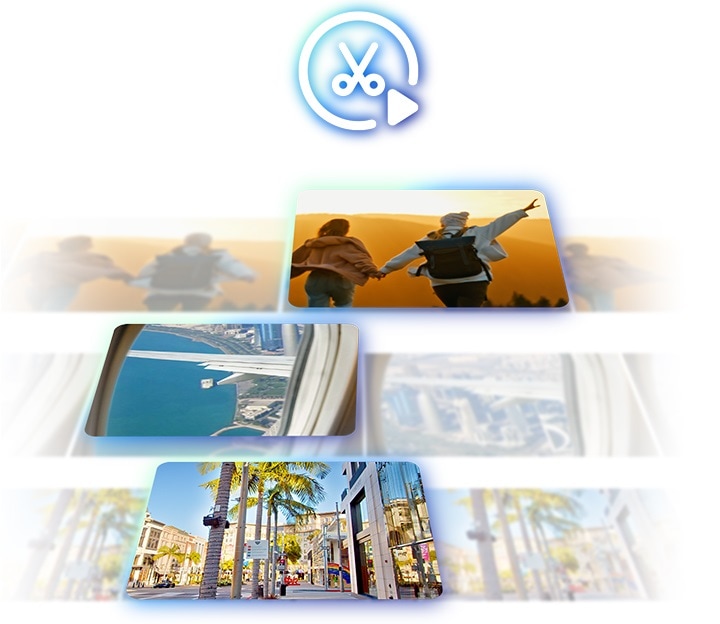
Highlight reels made easy
Create quality video effortlessly.
Maximum length per clip is 90 minutes. Maximum length of combined clips to be edited is 180 minutes. Maximum number of clips to be edited per video project is 60 clips. Accuracy of results is not guaranteed.
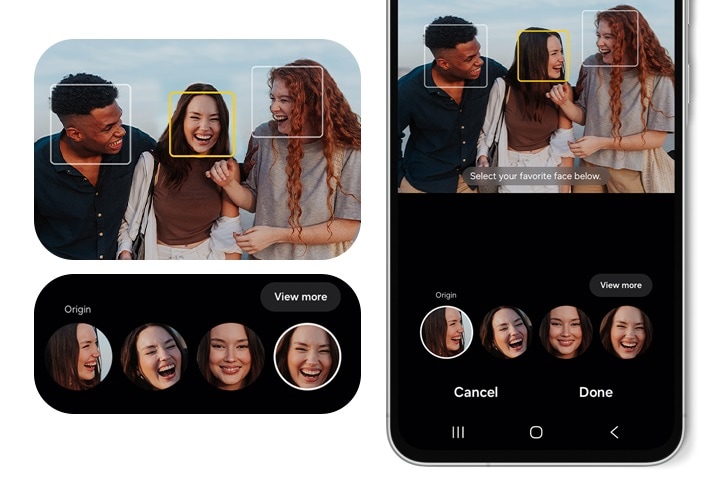
Get a photo with everyone smiling
Select people's best faces in Motion Photos to create the perfect group pic.
Bring photos and videos to life with stunning clarity
Get excellent photos and videos with the upgraded 50 MP camera on Galaxy A56 5G. It identifies the sky, skin, face, hair and grass and enhances the image quality for you instantly.

Actual product may differ from the image shown. 50 MP resolution is available on the Galaxy A56 5G's rear Wide-angle camera only. Results may vary depending on shooting conditions including multiple subjects, being out of focus or moving subjects.
Shoot awesome selfie videos
Take amazing videos of your adventures and everyday life in Super HDR. The front camera of Galaxy A56 5G is enhanced to get optimal colors and contrast for high res selfie videos.


Play video
Compared to the previous model. Results may vary depending on shooting conditions including multiple subjects, being out of focus or moving subjects.
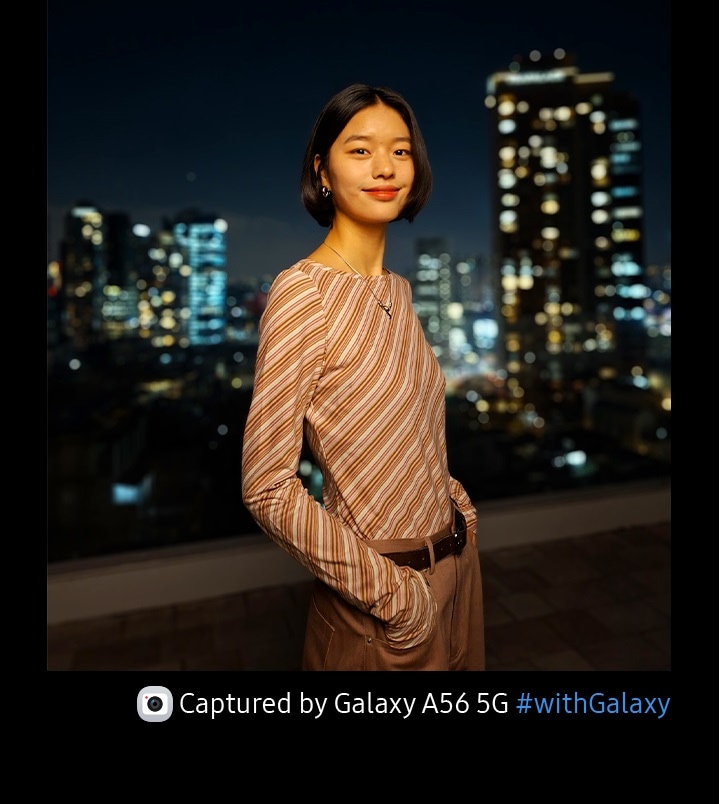
Film the lively night
The cameras on the new Galaxy A56 5G are now more advanced than before, absorbing more light for low noise, high-resolution Nightography.
Results may vary depending on shooting conditions including multiple subjects, being out of focus or moving subjects.
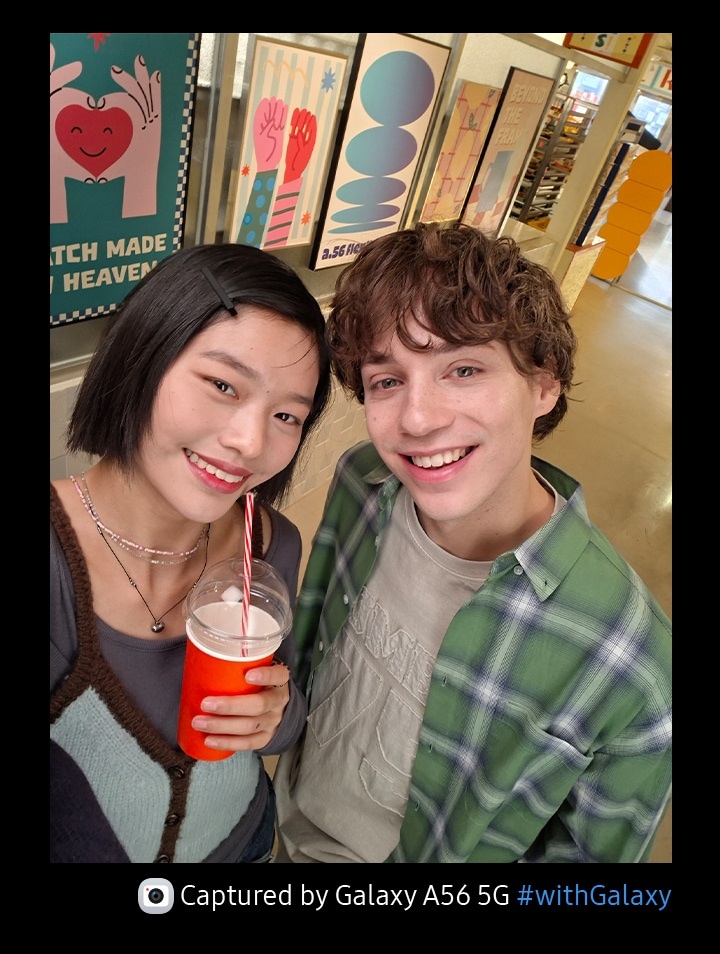
Snap awesome selfies
Now, your selfies are shareable just the way they are. The improved 12 MP front camera on Galaxy A56 5G captures blur-free, vibrant photos.
Compared to the previous model. Results may vary depending on shooting conditions including multiple subjects, being out of focus or moving subjects.

Play to win with next-gen AP
Experience the powerful performance of the upgraded Octa-core processor. Plus, with a boosted cooling system and storage up to 256 GB, you can multitask, stream and play games more seamlessly than ever.


Requires optimal 5G connection. 5G network availability and actual speed may vary depending on country, region, network provider and user environment. Memory/storage options and availability may vary by country, region or carrier. Available memory/storage capacity is subject to preloaded software.
Display for immersive gameplay
Fully immerse in your favorite entertainment with a large 17.01 cm FHD+ Super AMOLED display. The 1200 nits Vision Booster adds clarity for an awesome viewing experience, in any lighting.


Image simulated for illustrative purposes. Compared to the previous model. Requires optimal 5G connection. 5G network availability and actual speed may vary depending on country, region, network provider and user environment. 1200 nits at HBM (High Brightness Mode). Display received Eye Care Certification by SGS based on its ability to reduce the harmful effects of blue light. Measured diagonally, the screen size is 17.01 cm in the full rectangle and 16.55 cm accounting for the rounded corners. Actual viewable area is less due to the rounded corners and the camera hole.
Long battery life for all-day watching
With a long-lasting 5000 mAh (typical) battery, you can enjoy movie marathons for up to 29 hours without having to charge your Galaxy A56 5G.


Typical value tested under third-party laboratory condition. Typical value is the estimated average value considering the deviation in battery capacity among the battery samples tested under IEC 61960 standard. Rated (minimum) capacity is 4905 mAh. Actual battery life may vary depending on network environment, usage patterns and other factors. Actual battery life varies by network environment, features and apps used, frequency of calls and messages, the number of times charged, and many other factors. Estimated against the average usage profile compiled by UX Connect Research. Independently assessed by UX Connect Research between 2025.01.16-2025.01.27 in UK with pre-release versions of SM-A566 5G under default setting using LTE and 5G Sub6 networks. NOT tested under 5G mmWave Network.
Strong durability
The solid metal frame and Corning® Gorilla® Glass Victus®+ keep the Awesome design of Galaxy A56 5G looking great. Plus, with IP67 protection, the new Galaxy A series is safe from dirt and splashes.


Corning® Gorilla® Glass Victus®+ is applied to the front and rear of the device. Corning® Gorilla® Glass Victus®+ back glass does not include camera glass. Frame does not include volume and side keys or SIM tray. Galaxy A56 5G is rated as IP67. Based on lab test conditions for submersion in up to 1 meter of freshwater for up to 30 minutes. Not advised for beach or pool use. Water and dust resistance of the device is not permanent and may diminish over time due to normal wear and tear.
Up-to-date security


Built to last with 6x OS upgrades
Galaxy A56 5G supports up to 6 generations of OS upgrades and up to 6 years of security updates to keep it running as good as new.
Availability and timing of Android OS upgrades and security updates may vary by device model and market.


Keep your password secure with Knox Vault
Keep your private information safe and sound with EAL5+ certified Knox Vault.
Security features or hardware/software architecture of Samsung Knox Vault on Samsung Galaxy A series smartphones may differ from those on Samsung Galaxy flagship devices including S series, Z series, S FE series smartphones and Tab S series tablets launched from 2021 onwards. Availability of Samsung Knox Vault may vary depending on the device model.
Next
ftd16_interactive multi feature-product detail-indicator
ftd16_interactive multi feature-product detail-indicator
Samsung Galaxy Experience

All new One UI 7
With a new intuitive look and upgraded usability, One UI 7 makes Galaxy A56 5G easy to use.
Some functional widgets may require a network connection and/or Samsung Account login. Availability of functions supported within the apps may vary by country. Actual UI may be different. Image simulated for illustrative purposes. For more information on Smart Switch and Quick Share, visit their feature service landing pages on Samsung.com. Available functions may vary depending on the device, country, region, carrier or the version of One UI.

Share files in the moment
Use Quick Share to effortlessly send files between devices within or outside of the Galaxy, including iOS and PCs.
Available on devices with One UI 2.1 or above, with Android OS version 10.0 (Q) or higher installed. Bluetooth Low Energy and Wi-Fi connection are both required for Quick Share. Supports Galaxy Books, including Qualcomm-based PCs released in 2020 and later, and Windows PCs with Intel Bluetooth/Wi-Fi from other manufacturers. (OS: Windows 10 2004 version or higher, Bluetooth driver: Intel 22.50.02 or higher, Wi-Fi driver: Intel 22.50.07 or higher). Number of devices Quick Share can share to at the same time may vary depending on the Wi-Fi chip hardware of the sharing device. Actual speed may vary depending on device, network condition and user environment. The transferable type, number, capacity and expiry date of files, as well as the number of simultaneous file shares in Private Share may be limited.

Switch effortlessly from iOS
Switching from iOS is so easy! Thanks to Smart Switch, you can transfer your photos, videos, contacts and apps effortlessly.
Wired transfers from iOS require the receiving device to have Android™ 4.3 or later and the sending device to have iOS 5 or later. Transfers can be completed without a cable through a wireless connection or iCloud. For wireless connections, the receiving device must have Android™ 4.0 or later and the sending device must have iOS 12 or later. iCloud transfers require the receiving device to have Android™ 4.0 or later and the sending device to have iOS 5 or later. Open Smart Switch Mobile in “Settings” on the receiving Galaxy device or download the Smart Switch Mobile app from the Galaxy Store. For wireless transfers, download Smart Switch for iOS from the App Store on your iPhone or iPad. Data, content and apps available for transfer may vary by transmission method. Contacts, gallery, videos, calendars and reminders can be transferred wirelessly from an iOS device.
Stay Secure, Stay Stylish

In-box items


Samsung Galaxy A56 is built for users who want premium features at a midrange price. The stunning 6.6-inch Super AMOLED display delivers vibrant colors and smooth scrolling, making it perfect for streaming, gaming, and everyday browsing. Its 50MP triple camera system captures detailed photos with accurate colors and strong low-light performance, while 4K video recording ensures high-quality content creation.
Powered by a reliable and efficient processor, the Galaxy A56 handles multitasking, gaming, and social media smoothly. The large 5000mAh battery keeps you going all day, supported by fast charging for minimal downtime. With a sleek modern design, water resistance, and secure biometric unlocking, the Galaxy A56 offers a balanced mix of style, durability, and performance — ideal for students, professionals, and daily users.
Play video
Awesome Intelligence
Circle it, Find it
Circle to Search with Google is available on Galaxy A56 5G. Just circle, highlight or tap an object or text onscreen to get Google Search results.
Google is a trademark of Google LLC. Sequences shortened and simulated. Results for illustrative purposes only. Service availability may vary by country, language, device model. Requires internet connection. Users may need to update Android and Google app to the latest version. Works on compatible apps and surfaces. Results may vary depending on visual matches. Accuracy of results is not guaranteed. Works on compatible apps and surfaces, and with ambient music only. Will not identify music coming through headphones or if phone volume is off. Results may vary depending on audio matches.
Play video
Images shown here are for representational purpose only, actual may vary.
Play video
Slimmer design with premium metal frame
Introducing the Galaxy A56 5G. With 0.74 cm thickness and 198 g weight, Galaxy A56 5G has a good grip. The enhanced cameras are grouped to match the new linear design. Galaxy A56 5G has four colour options to choose from Awesome Graphite, Awesome Lightgray, Awesome Olive, and Awesome Pink.
Colour availability may vary by country, region or carrier. Actual product may differ from the image shown.
Play video
Turn photos into masterpieces
Object Eraser removes unwanted distractions in the background will be recognized, removed and filled in to make a flawless photo.
Results may vary based on the images and the object you're trying to remove. Results may vary depending on light condition and/or shooting conditions, including multiple subjects, being out of focus or moving subjects.
Filters just for you
Create your own filter or add a retro film effect to photos and videos.
Actual UI/UX may differ. Results may vary depending on light condition and/or shooting conditions including multiple subjects, being out of focus or moving subjects.
Highlight reels made easy
Create quality video effortlessly.
Maximum length per clip is 90 minutes. Maximum length of combined clips to be edited is 180 minutes. Maximum number of clips to be edited per video project is 60 clips. Accuracy of results is not guaranteed.
Get a photo with everyone smiling
Select people's best faces in Motion Photos to create the perfect group pic.
Bring photos and videos to life with stunning clarity
Get excellent photos and videos with the upgraded 50 MP camera on Galaxy A56 5G. It identifies the sky, skin, face, hair and grass and enhances the image quality for you instantly.
Actual product may differ from the image shown. 50 MP resolution is available on the Galaxy A56 5G's rear Wide-angle camera only. Results may vary depending on shooting conditions including multiple subjects, being out of focus or moving subjects.
Shoot awesome selfie videos
Take amazing videos of your adventures and everyday life in Super HDR. The front camera of Galaxy A56 5G is enhanced to get optimal colors and contrast for high res selfie videos.
Play video
Compared to the previous model. Results may vary depending on shooting conditions including multiple subjects, being out of focus or moving subjects.
Film the lively night
The cameras on the new Galaxy A56 5G are now more advanced than before, absorbing more light for low noise, high-resolution Nightography.
Results may vary depending on shooting conditions including multiple subjects, being out of focus or moving subjects.
Snap awesome selfies
Now, your selfies are shareable just the way they are. The improved 12 MP front camera on Galaxy A56 5G captures blur-free, vibrant photos.
Compared to the previous model. Results may vary depending on shooting conditions including multiple subjects, being out of focus or moving subjects.
Play to win with next-gen AP
Experience the powerful performance of the upgraded Octa-core processor. Plus, with a boosted cooling system and storage up to 256 GB, you can multitask, stream and play games more seamlessly than ever.
Requires optimal 5G connection. 5G network availability and actual speed may vary depending on country, region, network provider and user environment. Memory/storage options and availability may vary by country, region or carrier. Available memory/storage capacity is subject to preloaded software.
Display for immersive gameplay
Fully immerse in your favorite entertainment with a large 17.01 cm FHD+ Super AMOLED display. The 1200 nits Vision Booster adds clarity for an awesome viewing experience, in any lighting.
Image simulated for illustrative purposes. Compared to the previous model. Requires optimal 5G connection. 5G network availability and actual speed may vary depending on country, region, network provider and user environment. 1200 nits at HBM (High Brightness Mode). Display received Eye Care Certification by SGS based on its ability to reduce the harmful effects of blue light. Measured diagonally, the screen size is 17.01 cm in the full rectangle and 16.55 cm accounting for the rounded corners. Actual viewable area is less due to the rounded corners and the camera hole.
Long battery life for all-day watching
With a long-lasting 5000 mAh (typical) battery, you can enjoy movie marathons for up to 29 hours without having to charge your Galaxy A56 5G.
Typical value tested under third-party laboratory condition. Typical value is the estimated average value considering the deviation in battery capacity among the battery samples tested under IEC 61960 standard. Rated (minimum) capacity is 4905 mAh. Actual battery life may vary depending on network environment, usage patterns and other factors. Actual battery life varies by network environment, features and apps used, frequency of calls and messages, the number of times charged, and many other factors. Estimated against the average usage profile compiled by UX Connect Research. Independently assessed by UX Connect Research between 2025.01.16-2025.01.27 in UK with pre-release versions of SM-A566 5G under default setting using LTE and 5G Sub6 networks. NOT tested under 5G mmWave Network.
Strong durability
The solid metal frame and Corning® Gorilla® Glass Victus®+ keep the Awesome design of Galaxy A56 5G looking great. Plus, with IP67 protection, the new Galaxy A series is safe from dirt and splashes.
Corning® Gorilla® Glass Victus®+ is applied to the front and rear of the device. Corning® Gorilla® Glass Victus®+ back glass does not include camera glass. Frame does not include volume and side keys or SIM tray. Galaxy A56 5G is rated as IP67. Based on lab test conditions for submersion in up to 1 meter of freshwater for up to 30 minutes. Not advised for beach or pool use. Water and dust resistance of the device is not permanent and may diminish over time due to normal wear and tear.
Up-to-date security
Built to last with 6x OS upgrades
Galaxy A56 5G supports up to 6 generations of OS upgrades and up to 6 years of security updates to keep it running as good as new.
Availability and timing of Android OS upgrades and security updates may vary by device model and market.
Keep your password secure with Knox Vault
Keep your private information safe and sound with EAL5+ certified Knox Vault.
Security features or hardware/software architecture of Samsung Knox Vault on Samsung Galaxy A series smartphones may differ from those on Samsung Galaxy flagship devices including S series, Z series, S FE series smartphones and Tab S series tablets launched from 2021 onwards. Availability of Samsung Knox Vault may vary depending on the device model.
Next
ftd16_interactive multi feature-product detail-indicator
ftd16_interactive multi feature-product detail-indicator
Samsung Galaxy Experience
All new One UI 7
With a new intuitive look and upgraded usability, One UI 7 makes Galaxy A56 5G easy to use.
Some functional widgets may require a network connection and/or Samsung Account login. Availability of functions supported within the apps may vary by country. Actual UI may be different. Image simulated for illustrative purposes. For more information on Smart Switch and Quick Share, visit their feature service landing pages on Samsung.com. Available functions may vary depending on the device, country, region, carrier or the version of One UI.
Share files in the moment
Use Quick Share to effortlessly send files between devices within or outside of the Galaxy, including iOS and PCs.
Available on devices with One UI 2.1 or above, with Android OS version 10.0 (Q) or higher installed. Bluetooth Low Energy and Wi-Fi connection are both required for Quick Share. Supports Galaxy Books, including Qualcomm-based PCs released in 2020 and later, and Windows PCs with Intel Bluetooth/Wi-Fi from other manufacturers. (OS: Windows 10 2004 version or higher, Bluetooth driver: Intel 22.50.02 or higher, Wi-Fi driver: Intel 22.50.07 or higher). Number of devices Quick Share can share to at the same time may vary depending on the Wi-Fi chip hardware of the sharing device. Actual speed may vary depending on device, network condition and user environment. The transferable type, number, capacity and expiry date of files, as well as the number of simultaneous file shares in Private Share may be limited.
Switch effortlessly from iOS
Switching from iOS is so easy! Thanks to Smart Switch, you can transfer your photos, videos, contacts and apps effortlessly.
Wired transfers from iOS require the receiving device to have Android™ 4.3 or later and the sending device to have iOS 5 or later. Transfers can be completed without a cable through a wireless connection or iCloud. For wireless connections, the receiving device must have Android™ 4.0 or later and the sending device must have iOS 12 or later. iCloud transfers require the receiving device to have Android™ 4.0 or later and the sending device to have iOS 5 or later. Open Smart Switch Mobile in “Settings” on the receiving Galaxy device or download the Smart Switch Mobile app from the Galaxy Store. For wireless transfers, download Smart Switch for iOS from the App Store on your iPhone or iPad. Data, content and apps available for transfer may vary by transmission method. Contacts, gallery, videos, calendars and reminders can be transferred wirelessly from an iOS device.
Stay Secure, Stay Stylish
In-box items